
The AirFrame.One panel for Adobe Premiere Pro is installed automatically as part of the AirFrame Connect installation. This article explains how to verify that the panel is available. If you have not installed Connect yet, start with Installing AirFrame Connect (macOS).
Verify the installation
- Restart Adobe Premiere Pro after installing Connect, so the extension is loaded.
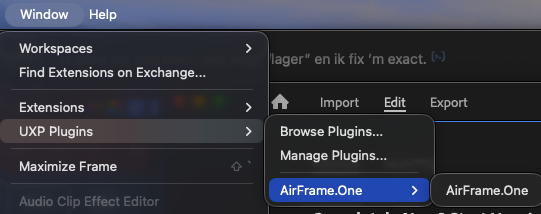
- In Premiere Pro, go to Window → Extensions.
- The AirFrame.One extension is now listed.
Panel does not appear?
- Make sure you are running a compatible version of Adobe Premiere Pro. See the system requirements.
- Some systems require administrative privileges to install extensions.
- Company policies can restrict extension installation; check with your IT department if needed.
If the panel still does not appear, please contact our support team at support@media-anywhere.com.