VERSION: ADOBE PREMIERE 24.5.0
Premiere Settings
- 25p frames
Media Anywhere Plugin
- Use MSI installer
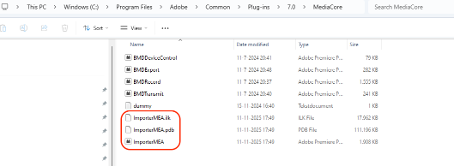
- Remove file from C:\Program Files\Adobe\Common\Plug-ins\7.0\MediaCore
- DELETE: AirFrame.prm
- Copy latest Media Anywhere plugin to C:\Program Files\Adobe\Common\Plug-ins\7.0\MediaCore
- Create D-drive at additional NvME disk, add folders:
- MA_CACHE (for Media Anywhere cache)
- PR_CACHE (for Premiere Cache)
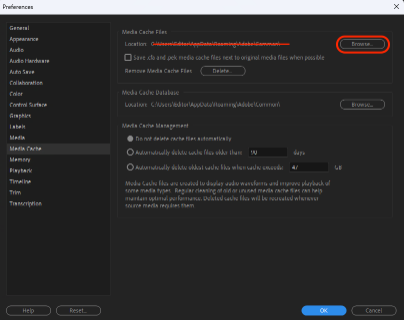
- Update Adobe Premiere PR to newly created PR_CACHE folder.
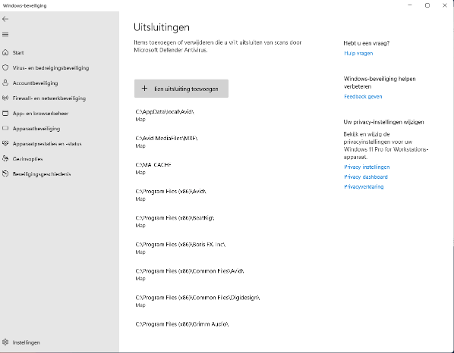
- In Windows Security settings create the following exceptions:
- D:\MA_CACHE map
- D:\PR_CACHE map
- *.mea files
- *.map files
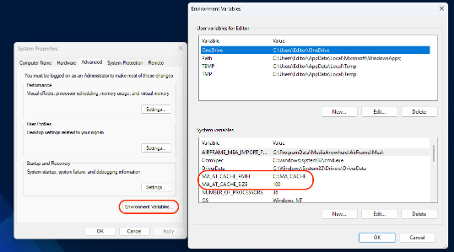
- Update System Environment Variables
- Windows toets -> type “environ” en je komt er
- MA_AT_CACHE_SIZE: 100
- MA_AT_CACHE_PATH: D:\MA_CACHE
- Windows toets -> type “environ” en je komt er